NextClass app icon
NextClassNextClass – Teacher Timetable

A timetable for teachers,
only your classes.

Know your next class, own your day.

Which class is happening now, how long until the next one, where a last-minute swap moved to — open it and see.

  • Free
  • No account needed
  • Data stays on your device
  • iOS 18.0 or later
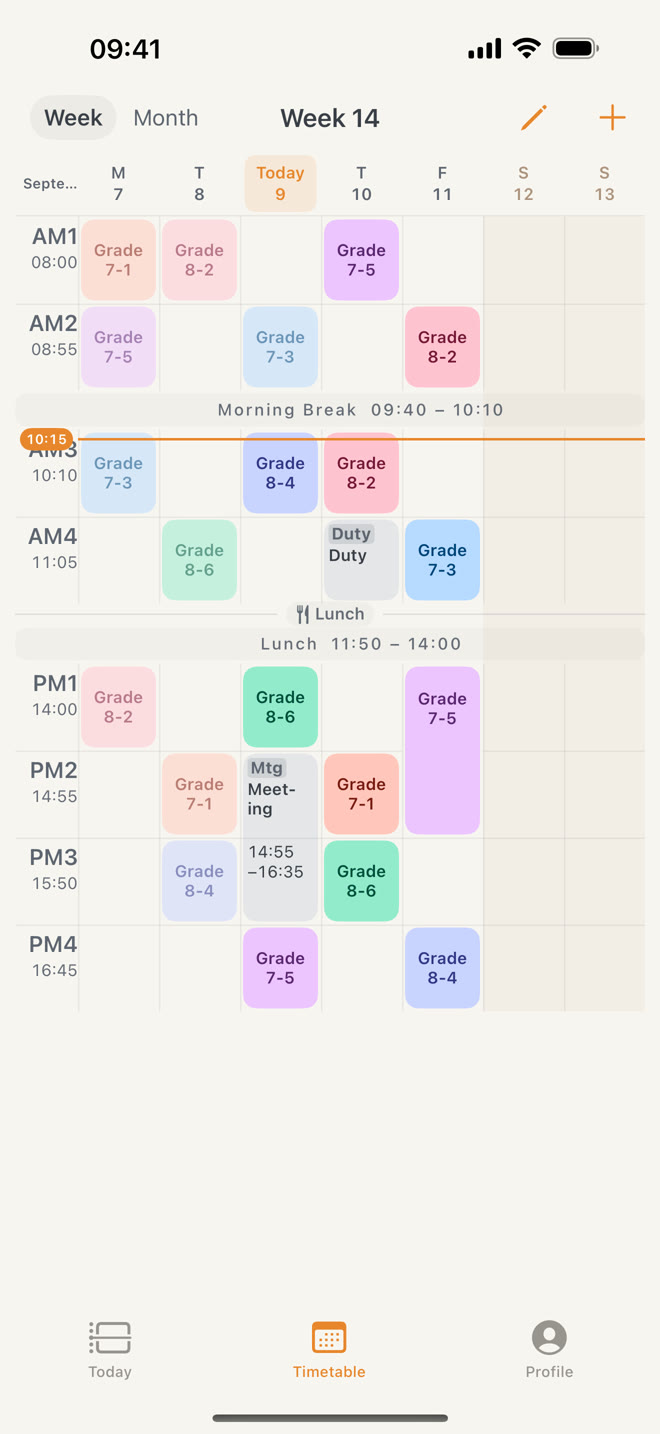
Week view
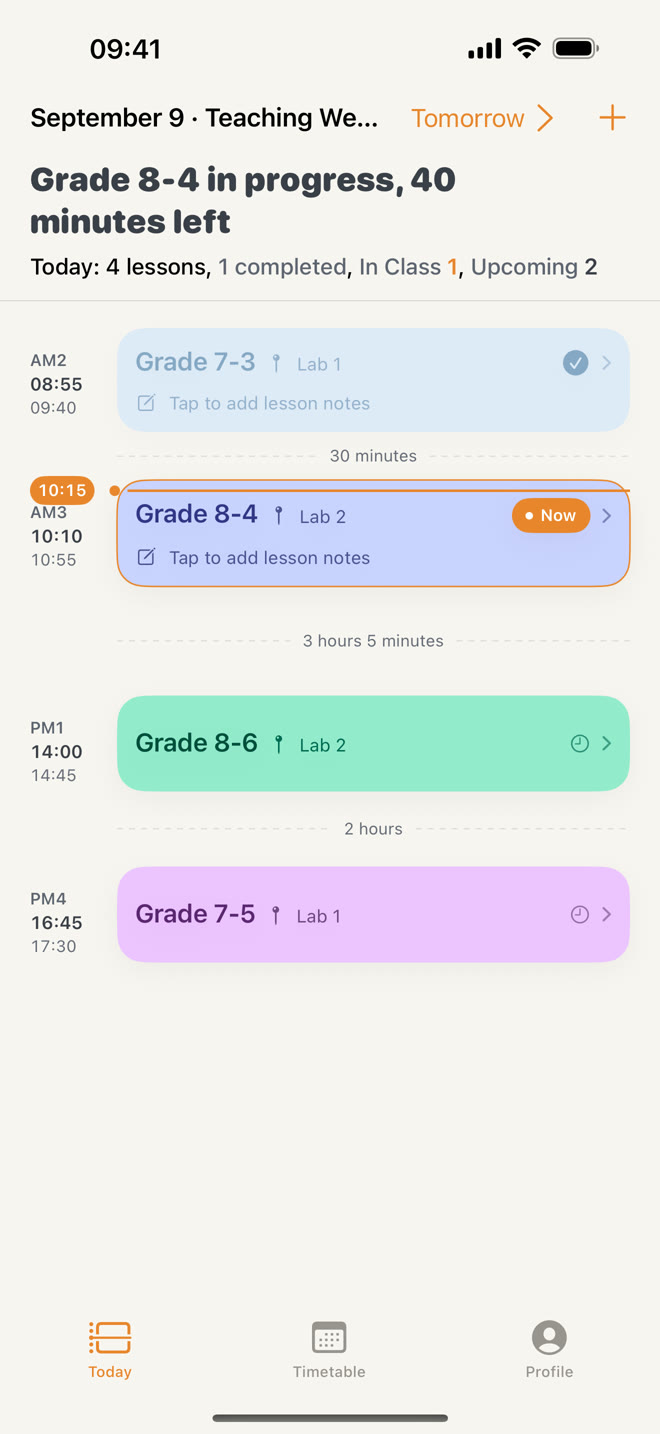
Today screen: lessons on a timeline with the next-class countdown
AM3 · Grade 8-4Lab 2 · Sample
27:00to go

From your next lesson to the whole term.

Designed around a teacher's real day. No need to migrate an entire school system — build only what's relevant to you.

Open it and see
where your next class is.

Follow lessons along a timeline and see the countdown to your next class. Preview your next teaching day and quickly add a lesson or activity.

  • Notes on teaching progress come back in the next reminder and on Today
  • Last-minute changes update your timetable and class reminders
Today screen

The whole week at a glance,
arranged with a tap.

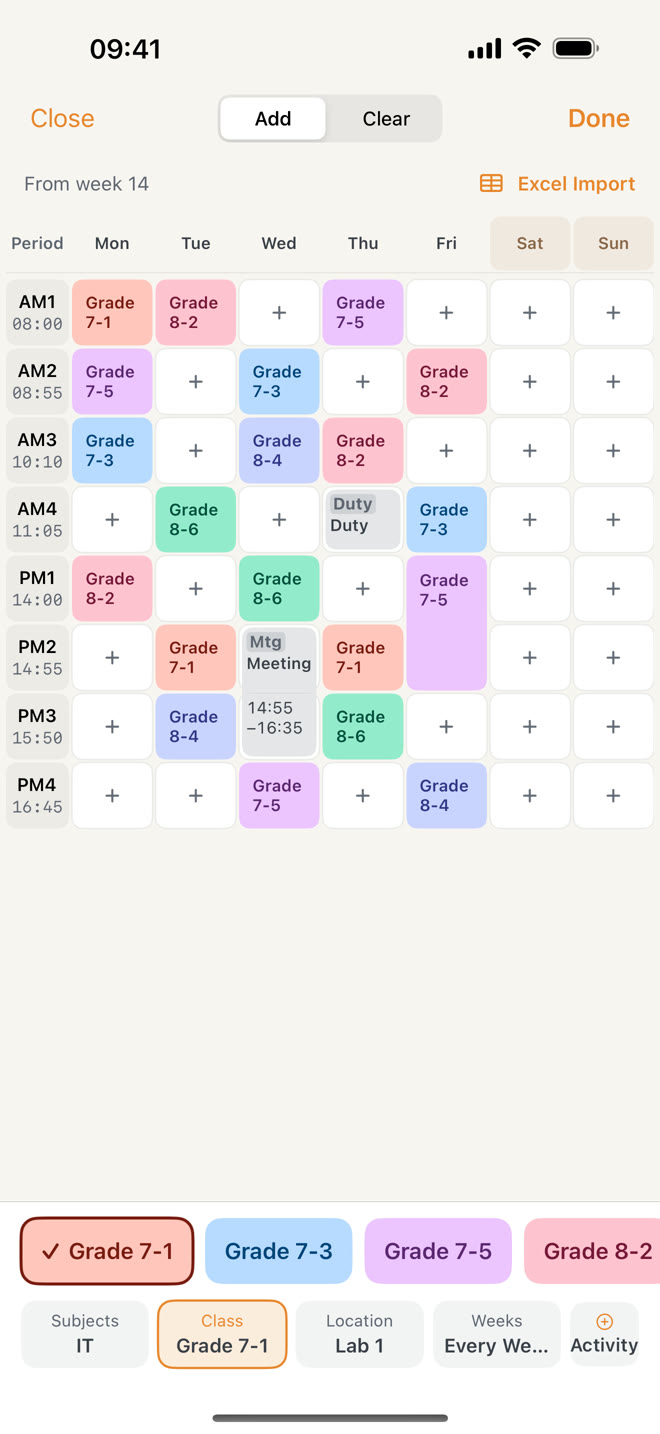
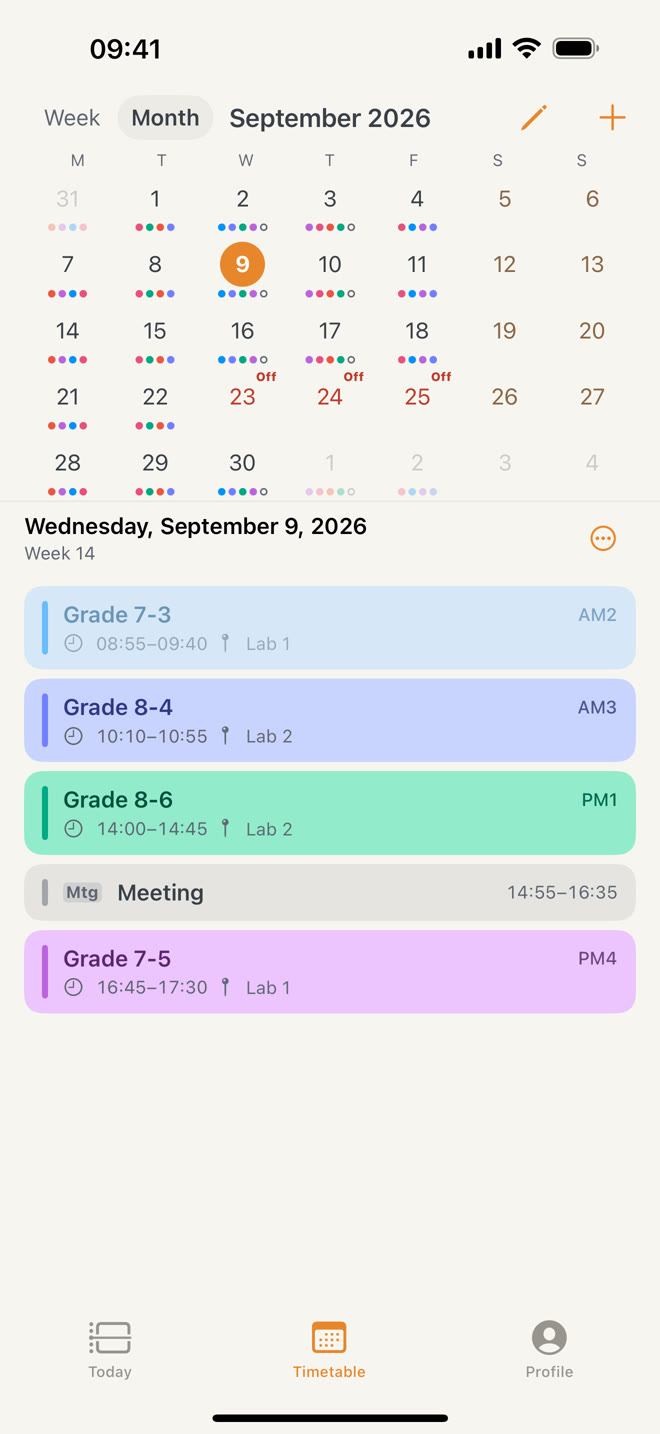
See a full week by default. In weekly setup, choose a subject and class, tap empty slots to place lessons, and drag down for double periods. Switch to the month view to see a date's lessons.

  • Odd or even weeks, every few weeks, and a start and end week
  • Teach several subjects to one class and pick the subject for each lesson
Weekly setup
Month view

When the rules change,
your timetable follows.

A school suddenly switches bell schedules, a single class gets swapped, a public holiday needs confirming — NextClass treats these changes as core data, not footnotes to ignore.

  • Schedule changesNew bell schedules take effect from their start date; past classes keep their original times.
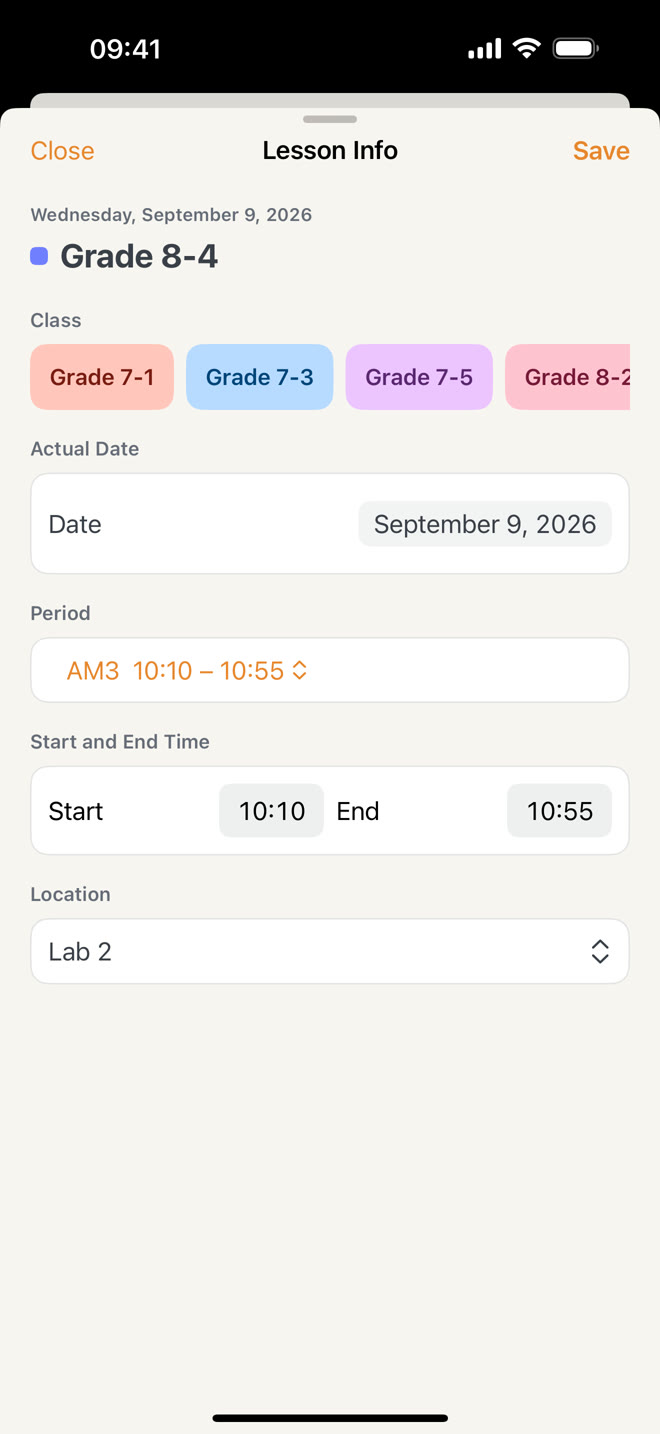
  • Temporary changesChange one lesson or future recurring arrangements. You choose the scope.
    This weekNextLater
  • HolidaysPublic holidays are marked first. You decide whether to cancel scheduled lessons and activities; makeup days follow your school's arrangements.
Editing a lesson

Bell schedules and timetables,
brought in all at once.

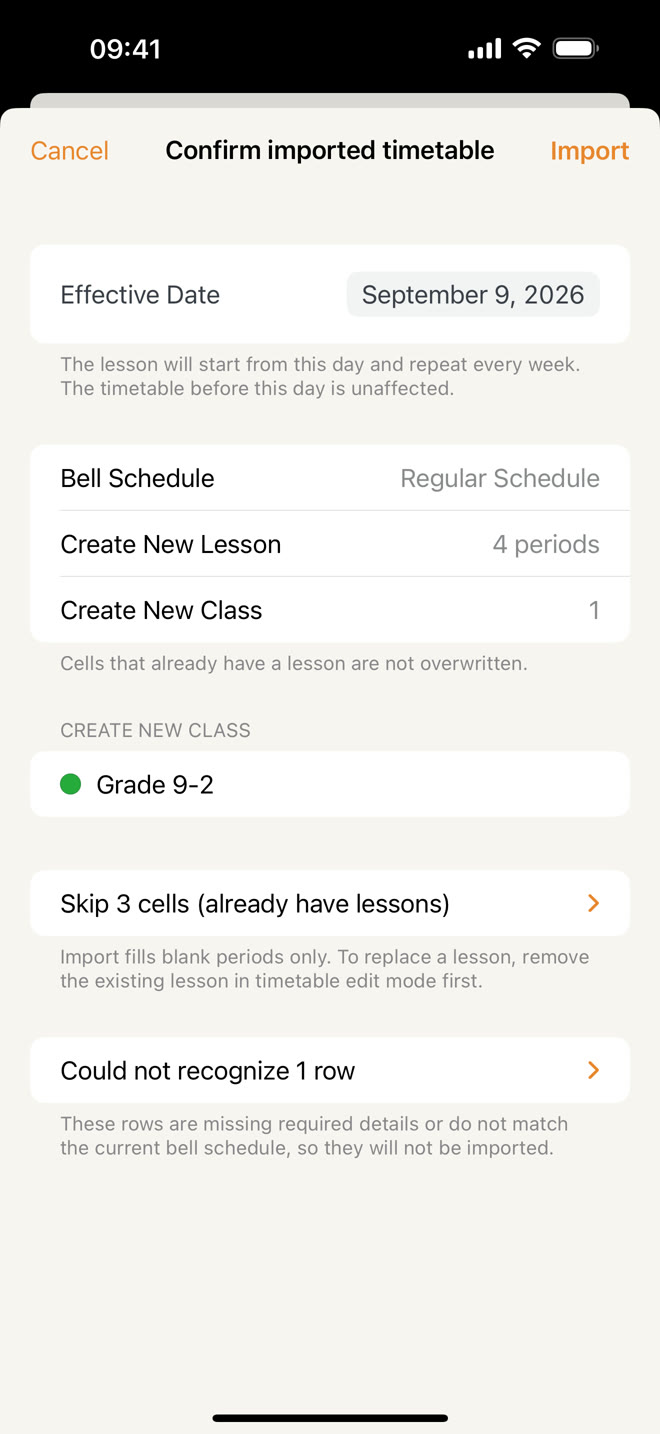
Create a bell schedule with the generator or pre-fill it from a Word file on your device, then review it. For the timetable, fill in an Excel template generated by the app and import it.

  • Before importing, see the lessons to be created, the cells skipped and any rows not recognized
Import review

Meetings, duties and care,
on the same timetable.

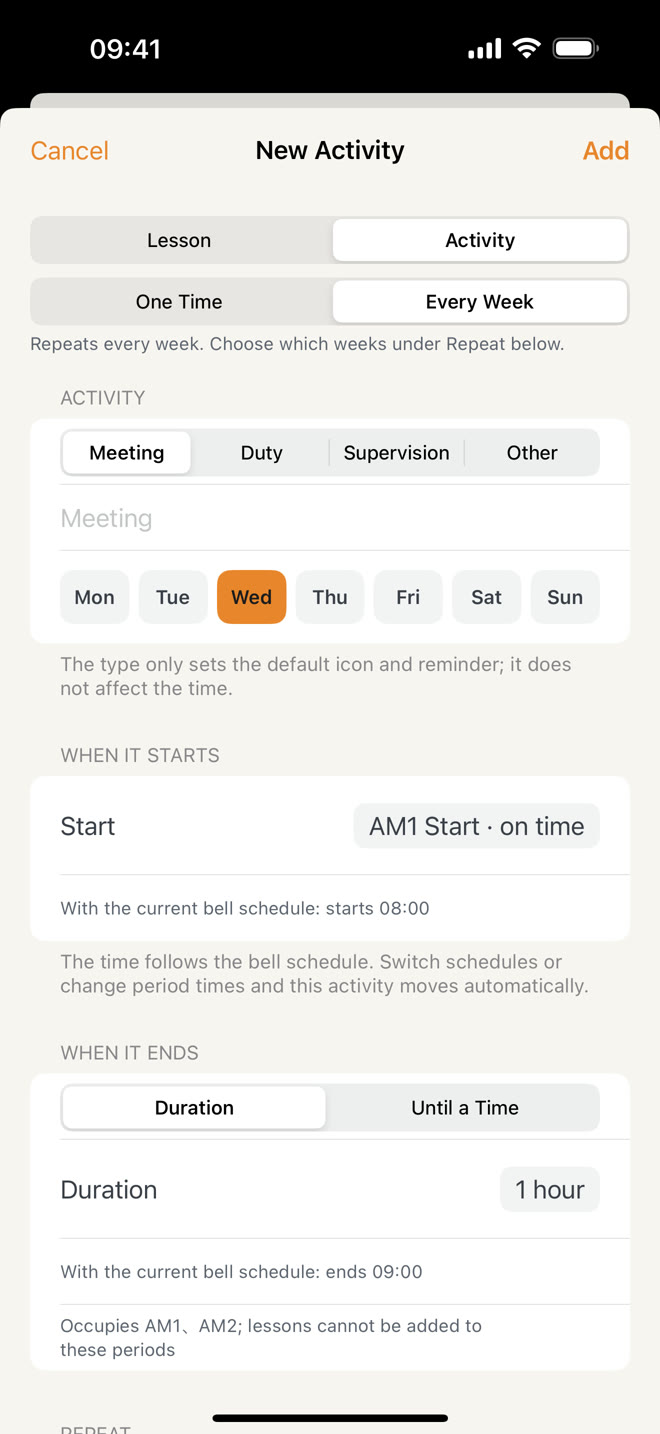
Put staff meetings, duty shifts and after-school care on your timetable, with times tied to your bell schedule, repeats and local reminders.

New activity
Home and Lock Screen widgets
Check today's lessons on your Home Screen or a weekly grid in a large widget. See the current or next lesson countdown on your Lock Screen.
Schedules by date and weekday
Assign another bell schedule to a weekday or special date. Teaching at two school levels? Each keeps its own bells.
Frequent locations
Keep frequently used rooms in one place, so changing rooms is a clear choice.
One note for combined classes
Combined classes share one lesson note — no need to write it once per class.
Local backups and export
Save up to 5 snapshots and export a backup to Files for manual restore.
Class reminders
Local reminders based on your lessons and activities, updated automatically when a lesson changes.

Forty seconds, one teacher's day.

From the Lock Screen before leaving home to next term's timetable after school.

Illustrated walkthrough redrawn from the app's screens · 41 seconds

What teachers are saying

“I can even adjust it for our half-hour afternoon classes this term. I love the interface — simple and good-looking.”

五元回火星App Store · Mainland China · View on App Store

“I can always see where I left off in class, which is something I really need.”

好吃辣条。。。。App Store · Mainland China · View on App Store

“So useful! This is exactly the timetable teachers need. Adding classes is easy, and the timetable is clear at a glance.”

dogxyodoApp Store · Mainland China · View on App Store

“Clean, good-looking, and no ads. I’ll keep using it! Thank you to the developer~”

thth00App Store · Mainland China · View on App Store

“After the last class of the day, it even gives you a little emotional boost. The developer really gets teachers.”

煎饼果子科(脆皮捏捏上头版)Xiaohongshu · User post · View post

“After trying several timetable apps, I found the simplest one works best.”

九月Xiaohongshu · User post · View post

Review excerpts translated from Chinese. App Store reviews refer to the mainland China edition of NextClass; Xiaohongshu excerpts come from user comments and posts users shared on their own.

Your timetable
is not our data.

Personal profiles, classes, timetables and lesson notes are stored on your device.

  • Where data is storedOn device
  • AccountNot required
  • Ads, third-party analytics, trackingNone
  • Cloud syncNot offered
Read the full privacy policy

NextClass is out.
Install it today.

Search for “NextClass” in the App Store or use the button below. No account required: add your subjects, classes, term and bell schedule, then arrange your weekly lessons.

Download on the App Store On a China mainland App Store account?Get the China mainland edition
Price
Free
Requires
iOS 18.0 or later
Languages
English, 中文, 日本語, 한국어
NextClass App Store QR code

Scan with the iPhone camera

Found a real problem?
Tell the developer directly.

contact@catcubed.studio